How to Use Your Retail Barcode
When you order from us, you will receive your retail barcodes via email with the high-resolution images attached. Once you have your files, you can begin using them immediately by following these steps.
Incorporate the image into your packaging
Choose whichever barcode image format suits your design software best (PNG, PDF, SVG).
Sizing your barcode: You can resize the image to fit your product packaging, but please keep our barcode specifications in mind. The smallest recommended barcode size for EAN-13 or UPC-A formats is 80% of the standard size (approximately 30mm wide by 20mm high).
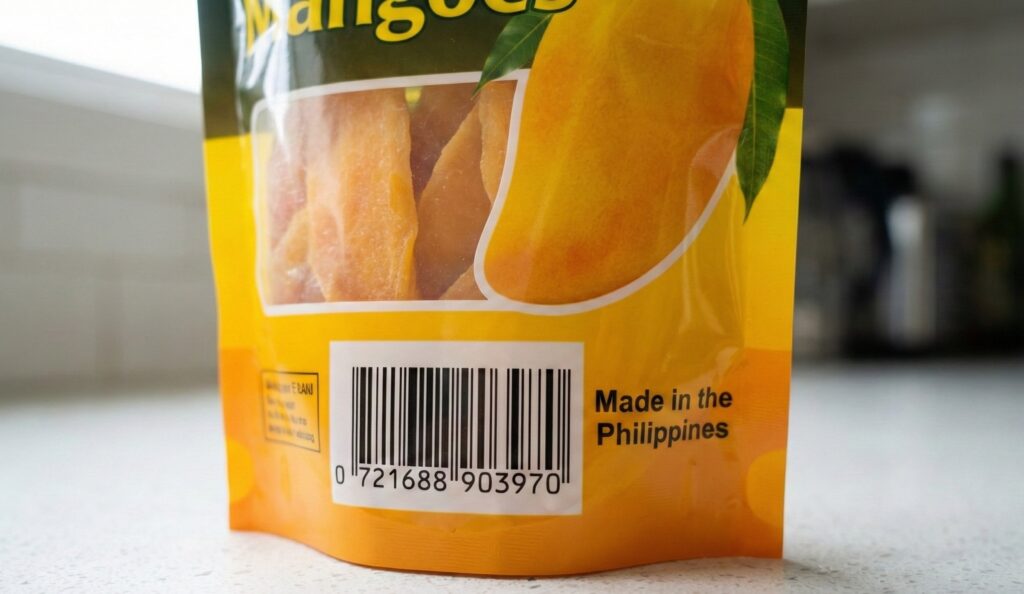
You can get creative with your packaging design, but the main barcode image (the vertical black bars and white spaces) must remain unimpeded to ensure it is easy to scan.
Incorporate the image into an easily visible, flat location on your packaging. Alternatively, you can have the barcode printed onto adhesive labels to be manually applied to your physical products.
Check your barcode contrast: BLack bars on a white background is the best option to ensure scanners can read your barcode easily. Use our Barcode Colour Legibility Simulator to test different foreground and background colours.
Print your packaging
The next step is to have your packaging printed by your commercial printer. It is highly recommended to do a physical sample print first to check that the barcode prints clearly and scans correctly with a standard smartphone app before authorizing the full production run.
Send your product to your retailers
It is at this stage that the barcode is officially connected to the product details.
When your barcode is scanned at a store for the very first time, the retailer will manually enter your product information and pricing into their point-of-sale system. After this initial setup is complete, your correct product information will automatically appear whenever that barcode is scanned at their checkout.
Register your barcode number
Upon ordering, you will receive an email with instructions on how to register your barcode numbers on the major online barcode databases.
Barcode registration is completely optional, however, it will increase the profile of your product on the internet. It does not interfere with or replace the process of submitting your product information directly to your physical retailers. Instead, it makes your product data more visible to internet searches, which is very useful in dissuading people from using your barcode number illegally.
Scanning Issues: Dropped Digits
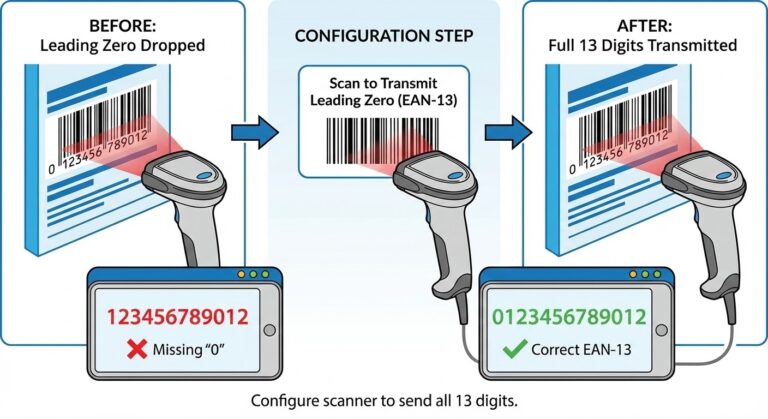
If your 13-digit EAN barcode is scanning as a 12-digit number instead of 13, your physical scanner hardware may be dropping the leading zero. This is a common configuration issue, not a flaw with the barcode image itself.
Learn how to configure your scanner